Home Platform Environments Billing Cross-cloud Features Partner Resources 中文 / EN Get Started
Multi-Cloud Management Platform

Stop making your team
wrangle three clouds at once.

MQloud® brings GCP, AWS, and Azure into one system. Billing adds itself up, permissions sort themselves out, and your team can spend their time on work that matters — instead of checking three consoles every day just to see what's going on.

Built for teams of any size
Enterprise IT
Software Developers
Cloud Resellers
MQloud® Console — 2026 Q3
My Cloud Environments
5
Active environments
3
Cloud providers
$8,240
This month
Production — GCP
Production
$4,120
Staging — AWS + Azure
Staging
$2,380
Analytics — Azure
Analytics
$1,740
Quota Usage by Cloud
GCP
73%
AWS
58%
Azure
44%
Compatible with the major cloud platforms
Amazon Web Services
Google Cloud
Microsoft Azure

AWS, Google Cloud, and Microsoft Azure are trademarks of their respective owners. This page states platform compatibility only, not an official partnership or endorsement.
Problems & Solutions

Any of this sound familiar?

Running GCP, AWS, and Azure together brings up the same handful of problems — MQloud has an answer for each one.

Platform Overview

One architecture, every cloud resource in hand

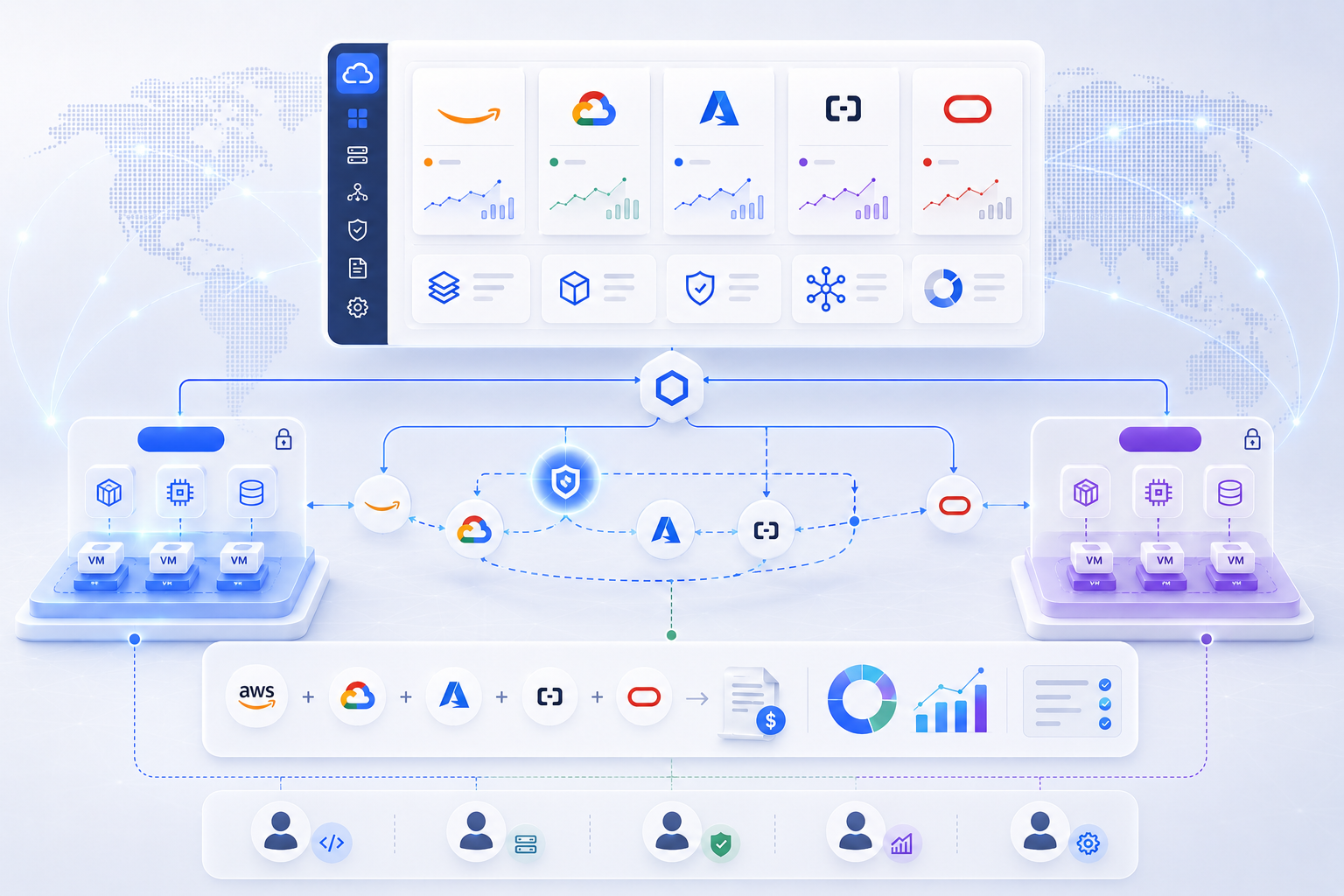
A unified dashboard, cross-cloud networking, environment isolation, consolidated billing, role-based access — everything that used to live in separate systems now lives in one.

MQloud® Platform Architecture
MQloud multi-cloud management platform architecture
1

One console for every cloud

No more logging into GCP, AWS, and Azure separately — usage and status all show up in the same place.

2

Policies managed once, applied everywhere

Access rules, traffic policies, and resource configuration don't need setting up per cloud — change it in one place and it takes effect across all of them.

3

Environments that stay out of each other's way

Production, staging, and development are kept fully separate — data and resources included — so a broken test never touches production.

4

One bill, not three

Costs across all three clouds roll up into a single bill, broken down by project, so reconciling at month-end isn't a manual chore.

5

Permissions sorted from day one

Who can see what, who can change what — it's built into the system, not something you have to engineer yourself.

6

Room to grow, whenever you need it

Adding another environment or another cloud later doesn't mean redesigning anything — just extend what's already there.

Who It's For

Whether it's one internal team
or several projects running at once

Managing your company's own cloud resources, or juggling multiple projects that each need their own environment — MQloud is built for both.

One project after another —
they shouldn't all bleed together.

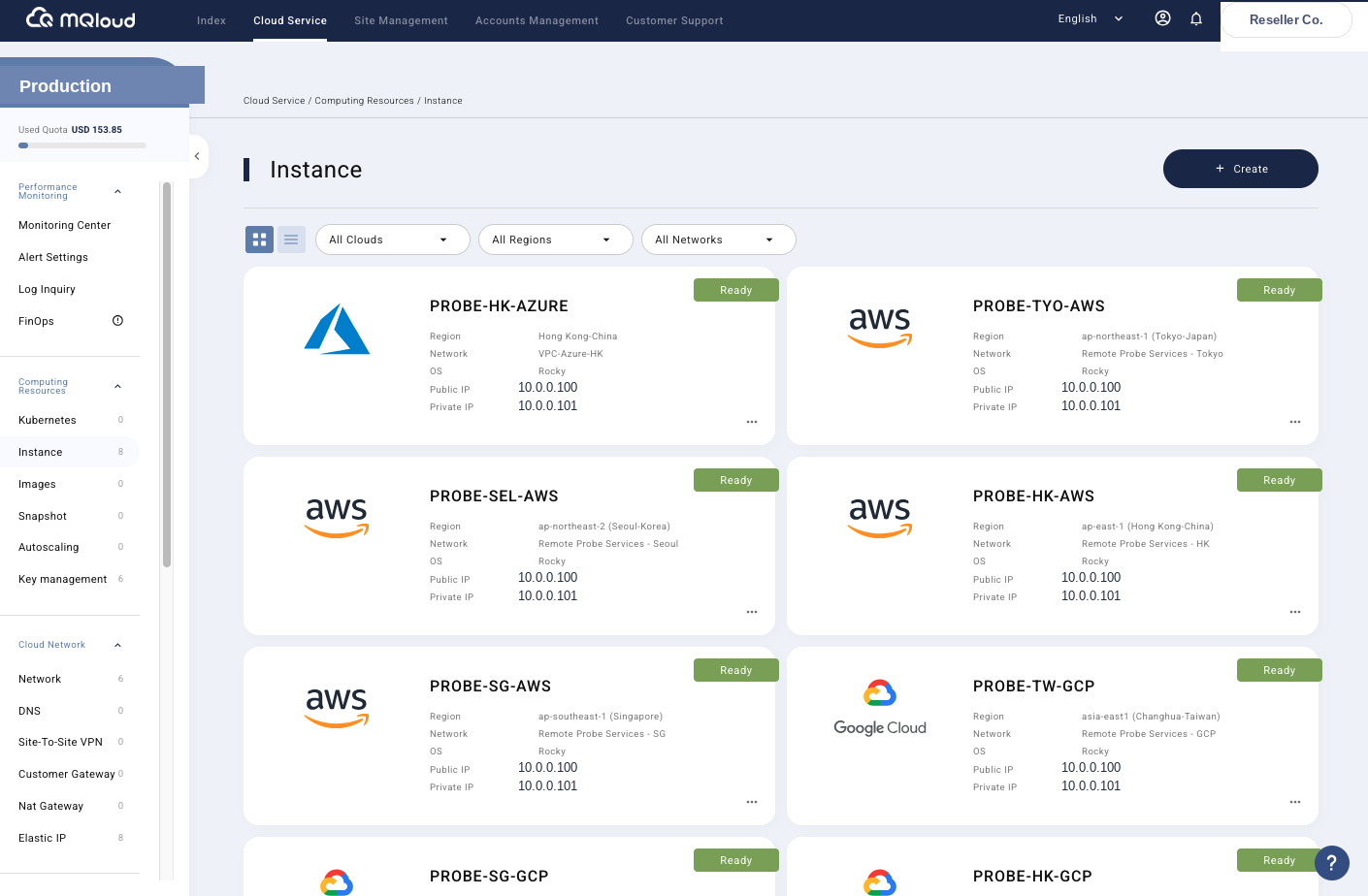
Serving different clients and running different projects at once usually means each one needs its own dev, staging, and production environment. MQloud lets you spin up isolated environments per project on a single platform, managing resources across GCP, AWS, and Azure without the management logic getting more tangled as projects pile up.

  • Each project gets its own environment — resources and settings stay separate
  • GCP, AWS, and Azure all managed from the same interface — no switching back and forth
  • Need to connect resources across clouds? Cross-cloud networking is built in
  • Every action is logged, so handoffs and debugging stay easy
Talk about your project
MQloud — Multi-Environment Management
Multi-environment management screen

HQ governs subsidiaries,
subsidiaries govern departments — one logic, top to bottom.

The bigger the organization, the easier cloud governance is to lose control of. MQloud maps quota management directly onto your existing HQ/subsidiary/department structure, applying the same permission and cost logic across GCP, AWS, and Azure.

  • HQ sets the quota, subsidiaries allocate it downward — every cloud resource stays accounted for
  • Consolidated billing shows profit/loss per environment at a glance
  • Each cost center can set its own usage alert threshold
  • Production, staging, and development stay fully independent
Book an Enterprise demo
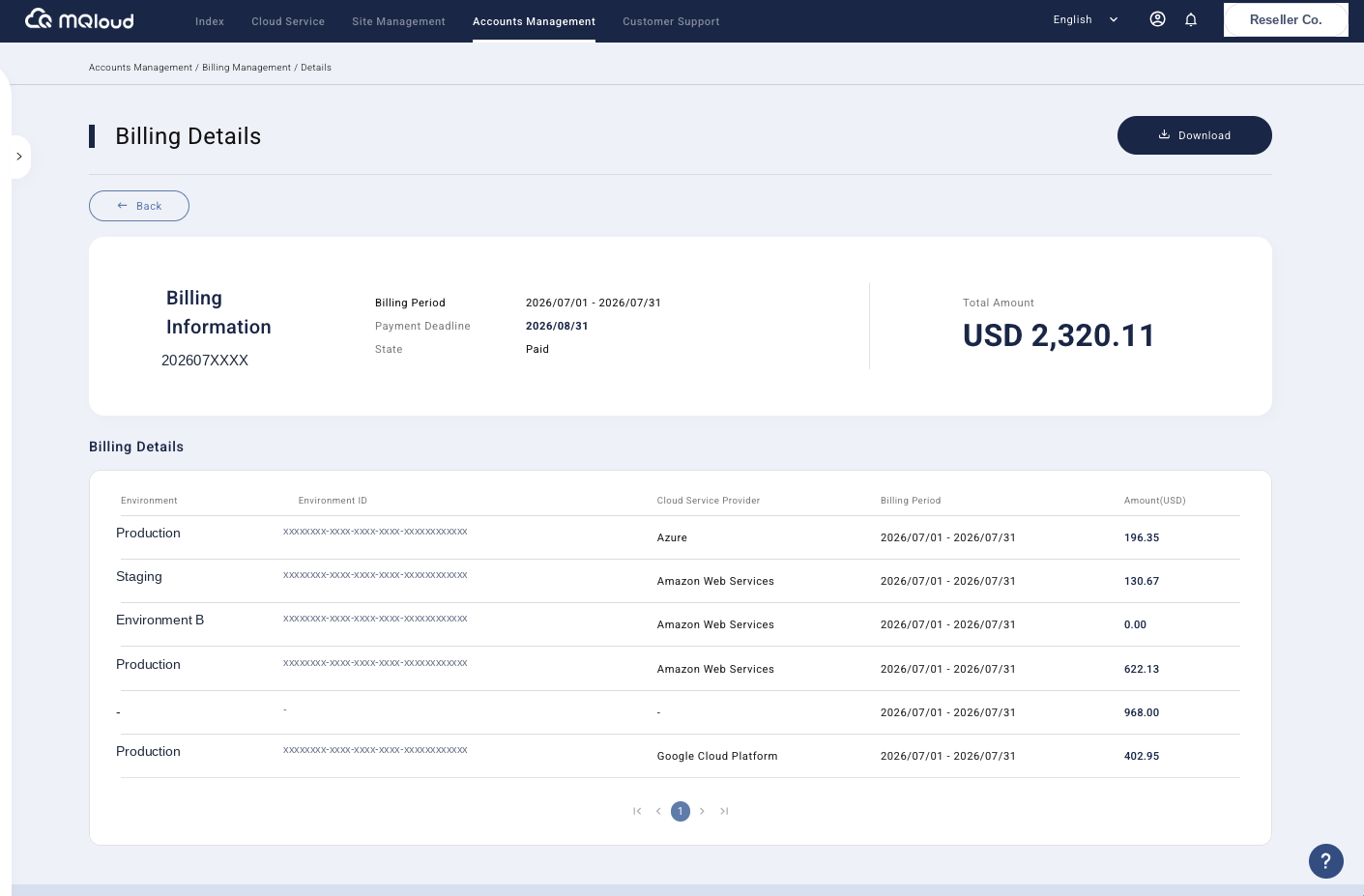
MQloud — Billing & Cost Management
Billing management screen
Features

From resource consolidation
to day-to-day operations

Cross-cloud resource integration, environment isolation, automated billing, Kubernetes management — here's a preview of what you'll use every day.

See all 16 features →
Cross-Cloud

Public Cloud Resource Integration

Unifies the operational logic across cloud platforms, so you can work with different public clouds in a nearly identical way.

Environments

Multi-Environment Design

Create multiple isolated environments by product, client, or need, each with its own independently managed cloud services.

Billing

Billing Integration

Costs are calculated automatically each month by environment and cloud provider, producing a clear, simple bill.

Quota

Quota Limitation Design

Define a usable quota for every environment, so resources never get created or consumed past what you intended.

Operations

Kubernetes Integration

A neutral control plane that unifies EKS, GKE, and AKS cluster management from a single dashboard.

Security

SSL Management

Certificates renew or reapply automatically before they expire — no manual tracking, no risk of forgetting.

"MQloud turned our multi-cloud operations from chaos into a clear, repeatable process."
— IDCServices.net Read the full case study →

Want to grow a cloud business under your own brand?

Join the MQloud Partner Program — the white-label platform, tiered permission structure, and ongoing support are already built.

Let's talk partnership