Enterprises often need to manage multiple similar hosts or systems, each tied to a different product, client, or purpose. Doing this through separate native cloud accounts makes management costs climb fast as the number of environments grows. MQloud lets you create multiple independent environments on the platform as needed, each with its own account permissions and quota — plus flexible budget tools that let you set up environment groups and control budgets precisely, for more efficient resource allocation.
Start with the big picture: quota allocation and usage at a glance
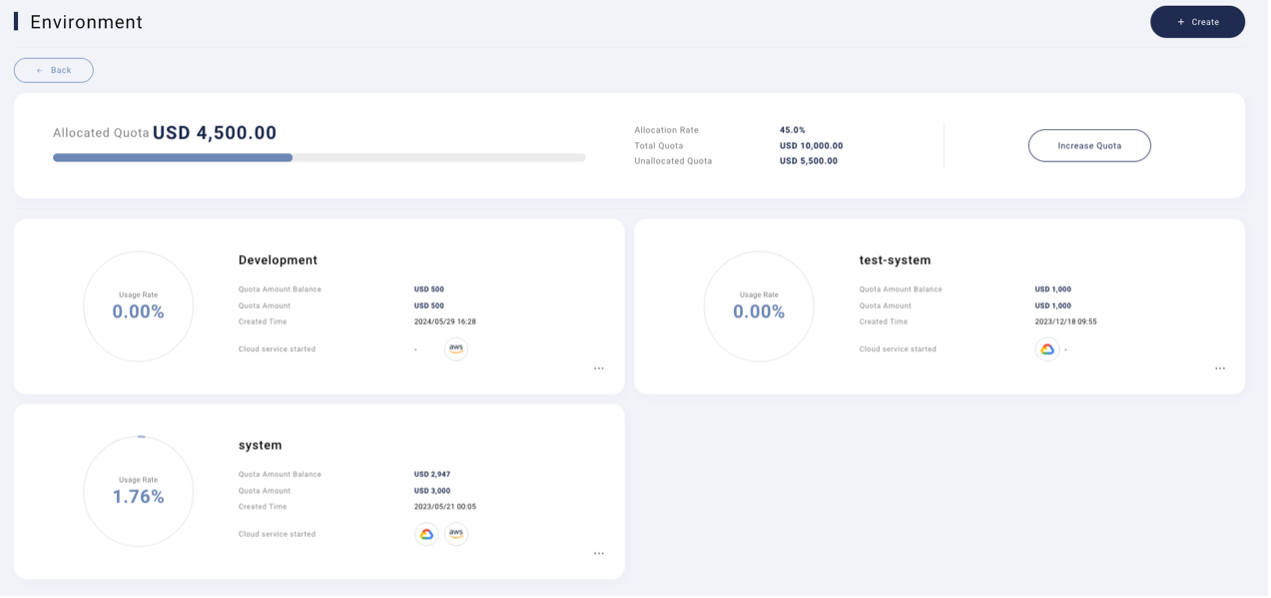
See how much quota each environment has used and how much is left the moment you log in — no separate report needed.
Environment Overview & Quota Allocation
Provisioning resources inside an environment feels just like native cloud
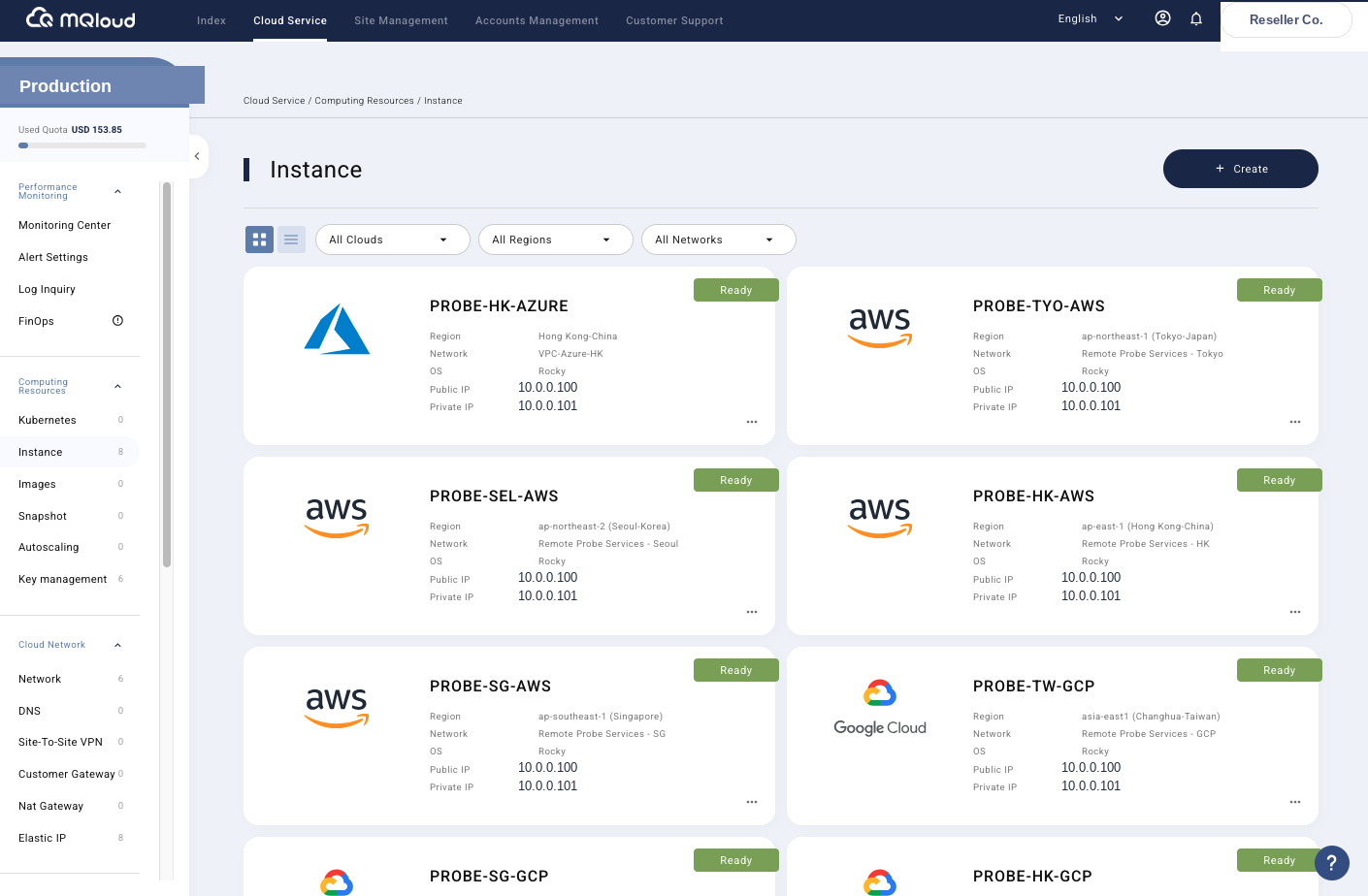
Once quota is set, the next step is provisioning what you actually need — pick a region, pick a provider, and you're done in a few clicks, no extra learning curve.
Create Instance
Information at a glance
Usage, quota, and status for every environment are laid out clearly — no need to click into each one just to see what's going on.
Brand new environment experience
Creating an environment has been redesigned from the ground up — no need to understand complex native cloud configuration logic to get started.
Unified control across platforms
Whether an environment runs on GCP, AWS, or Azure, it's managed through the same interface.
Budget settings, easy control
Set a budget cap per environment, so no single project quietly burns through more than it should.
Early warnings, resources under control
Get notified before you approach a budget limit — not after the bill arrives and the overspend is already done.
Personalized environment configuration
Configure each environment to your actual needs, instead of forcing everything into one fixed template.
Related Solutions
Explore the other Solutions modules
Billing
Costs across three clouds roll up into one bill, broken down by environment.